


Best iPads for Students, Work and Entertainment
Content Team, Jio Mart • 22 Oct 2026
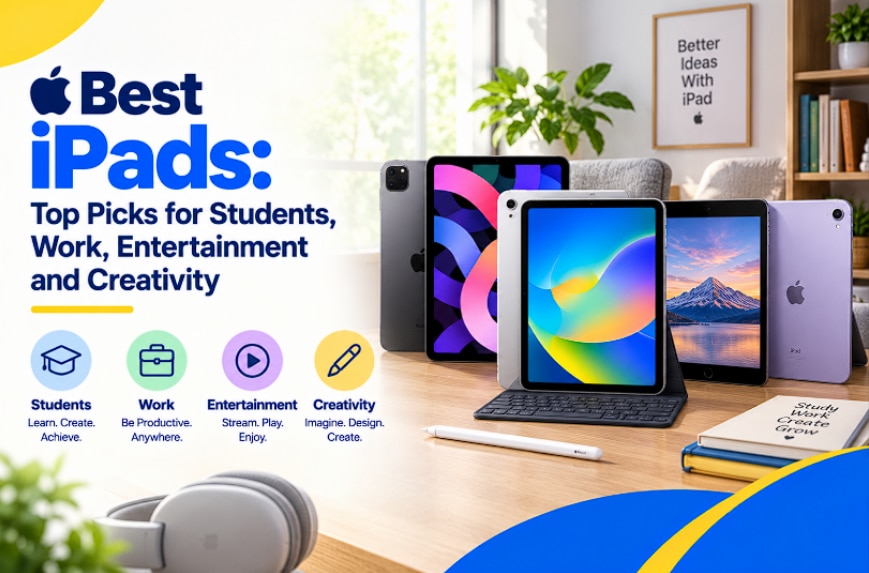
Quick Overview
- The best iPad for most everyday users right now is the standard iPad running on the A16 chip
- Storage options range from 128 GB up to 512 GB, so pick based on how much you actually store
- Wi-Fi-only models suit home and campus use, while Wi-Fi plus Cellular versions work better if you're always on the move
- An 11-inch display strikes a solid balance between portability and screen real estate
- JioMart makes comparing storage and connectivity options across the lineup pretty painless
Best iPad For Students: Which Features Matter Most?
If you're a student, your iPad is probably doing double duty as a notebook, a research tool, and a Netflix machine too. What actually matters here isn't flashy specs; it's practicality. Storage is the first thing to think about, since PDFs, lecture recordings, and note-taking apps pile up faster than you'd expect.
The best iPad for students should ideally have 128 GB or 256 GB, which gives you enough room without paying extra for space you won't use. Connectivity matters too. If you're constantly switching between hostel Wi-Fi and campus network, a Wi-Fi plus Cellular model means you're never stuck without internet mid-assignment. I remember scrambling to find Wi-Fi before a submission deadline once, and honestly, cellular connectivity would've saved me a lot of stress.
Which iPad Should You Buy?
Here's the honest answer: which iPad you should buy depends on what you do most often. If you mostly browse, stream, and take notes, the standard iPad covers you well. If you need more storage for creative files or offline access on the go, it makes more sense to increase storage or choose a cellular variant.
Thinking about the best iPad in India for your specific routine, rather than just going for the highest spec available, saves you money and gets you a device that actually fits your day-to-day.
Top 5 Best iPads
Since the current lineup centres on the iPad A16 in different configurations, here's a breakdown by storage and connectivity so you can see what fits your needs best. Each of these is a genuinely capable best iPad pick, depending on your storage and connectivity needs.
1. iPad A16, 11-Inch, 128 GB, Wi-Fi
This is the entry point in the lineup, and for many people, it's genuinely enough. The 11-inch display makes it comfortable for reading, note-taking, and video calls without feeling bulky. Powered by the A16 chip, it manages everyday multitasking, browsing, and streaming with ease. It comes in Silver, Blue, Yellow, and Pink, so you can add a bit of personality, too. For the best iPad in India for casual, everyday use, this configuration hits a sweet spot.
2. iPad A16, 11-Inch, 128 GB, Wi-Fi Plus Cellular
It has the same 11-inch display and A16 chip as above, but with cellular connectivity added. Consider this option if you travel often or don't want to rely on Wi-Fi being available wherever you are. It comes in a Silver finish and keeps you connected even when you're away from a router.
3. iPad A16, 11-Inch, 256 GB, Wi-Fi
If 128 GB feels tight for your media library or app collection, this 256 GB variant doubles your storage while keeping the same 11-inch display and A16 chip. Available in Silver, Yellow, and Blue, it's a solid middle-ground pick if you download a lot of offline content.
4. iPad A16, 11-Inch, 256 GB, Wi-Fi Plus Cellular
This combines the extra storage headroom with cellular connectivity, making it a strong choice if you need both more space and constant connectivity. Available in Yellow, it's built for people who use their iPad as a genuine on-the-go companion, not just a home device.
5. iPad A16, 11-Inch, 512 GB, Wi-Fi
For anyone who keeps a large media library, works with sizable files, or just doesn't want to think about storage again anytime soon, this 512 GB Wi-Fi model is the top-tier option. It comes in Silver and offers plenty of space for apps, downloads, and offline files.
Best iPad For Work: What Should You Look For?
For work, the priorities shift a little. You want enough storage to handle documents, presentations, and cloud-synced files without constantly clearing space. The best iPad for a work setup usually benefits from at least 256 GB, especially if you're juggling multiple apps and keeping offline copies of files for meetings.
Connectivity is another factor worth thinking about. If you're commuting or travelling between client sites, a Wi-Fi plus Cellular variant means you're not dependent on finding a hotspot before joining a call. The 11-inch display is also large enough to comfortably split-screen two apps side by side, which genuinely helps when you're referencing one document while typing in another.
Best iPad For Gaming And Drawing: Which Model Is Right For You?
Gaming and drawing both lean heavily on display quality and storage. A best iPad for gaming setup benefits from more storage since game files can get surprisingly large, so leaning toward the 256 GB or 512 GB configurations makes sense here.
For creative work, the best iPad for drawing pick should prioritise a comfortable screen size paired with enough storage to save high-resolution files without constantly offloading them elsewhere. If note-taking alongside sketching is part of your routine, the best iPad for note-taking setup with solid storage headroom keeps both your notes and creative files in one place without clutter.
Conclusion: Which Is the Best iPad for You?
The best iPad for you depends on how you actually plan to use it, not which one has the flashiest spec sheet. Students will likely be happiest with a 128 GB or 256 GB model, professionals should lean toward cellular connectivity and extra storage, and creative users will benefit most from the higher storage tiers.
Whether you're after the latest iPad update or simply want the best Apple iPad for your budget and habits, browsing JioMart's smart buys section makes comparing configurations much easier before you commit. Take a moment to think about your daily usage, and you'll land on a configuration that genuinely fits how you live and work.
FAQs
Which iPad is worth buying in 2026?
The standard iPad, powered by the A16 chip, remains a strong, practical pick for most everyday users, especially if you're not doing heavy creative or professional work.
Which iPad is the best value in 2026?
The 128 GB Wi-Fi variant offers the best balance of price and usability for people who mainly browse, stream, and take notes.
Which version of the 11-inch A16 iPad is best for student use and note-taking?
The 11-inch 128 GB Wi-Fi model offers the best overall value for students. It provides plenty of storage space for lecture notes, digital textbooks, PDFs, and productivity apps without paying extra for cellular hardware or unused storage.
Should I buy the Wi-Fi-only model or pay extra for the Wi-Fi + Cellular configuration?
Choose the Wi-Fi + Cellular configuration if you need to attend online classes, work remotely, or stream media while commuting without depending on public hotspots. If you primarily work from home, the office, or a college campus with stable wireless networks, the Wi-Fi-only variants will save you a significant amount upfront.
Is the 128 GB variant enough for drawing and content creation, or should I get the 512 GB model?
For entry-level illustration, casual photo editing, and social media apps, the 256 GB Wi-Fi tier is the ideal sweet spot. However, if your work involves heavy 4K video editing projects or storing large, uncompressed design catalogues locally, upgrading to the 512 GB Wi-Fi tier ensures your workflow never slows down because of low-storage warnings.
Can this A16-powered iPad handle laptop-level productivity for daily office work?
Yes. When paired with standard accessories like a wireless keyboard and the Apple Pencil, all 11-inch variants handle document drafting, multi-tab web browsing, email management, and spreadsheets perfectly. It serves as a highly capable, ultra-portable laptop replacement for general daily workflows.