


Best Laptops for Programming and Coding in 2026
Content Team, Jio Mart • 21 Oct 2026
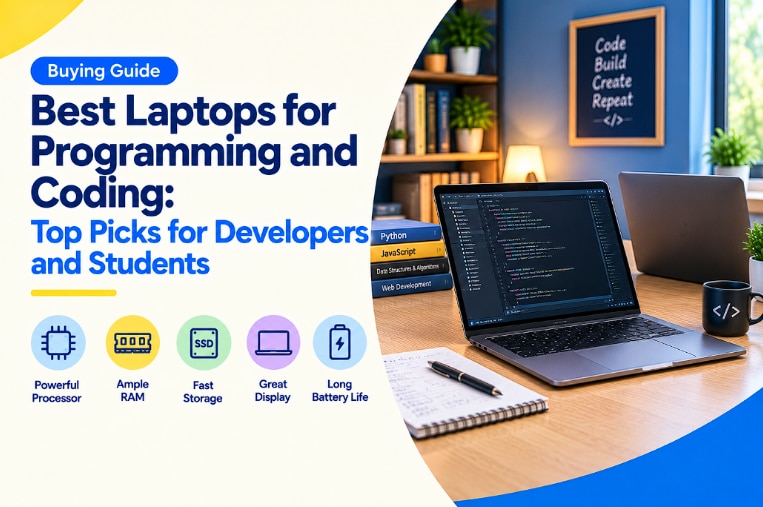
Quick Overview
- The best laptop for programming comes down to RAM, processor generation, and whether your work needs a dedicated GPU: not just the flashiest spec sheet
- 16GB RAM is the practical sweet spot for serious coding; 8GB works fine for basic coursework
- Dedicated GPUs matter mainly if your work touches machine learning or graphics-heavy computation.
- Five real models are covered here, from student-friendly picks to developer-grade machines with 1TB storage
- Windows, macOS, and Linux each suit different stacks: there's no universal "best" OS for coding
How to Choose the Best Laptop for Programming
A laptop can look great on paper and still choke the moment you spin up a Docker container or run three IDEs at once. The trick is matching the hardware to what you're actually building, not chasing the highest number on the spec sheet.
RAM is usually the first bottleneck. Open a code editor, a local server, and a browser with fifteen tabs, and 8GB disappears fast. Processor cores matter too: more cores mean quicker compiles and less lag when you're bouncing between a terminal, a debugger, and half a dozen documentation tabs.
I upgraded to 16GB RAM last year after putting up with 8GB for way too long, and the difference during a big refactor was almost ridiculous. No more sitting there watching a spinning cursor while Chrome and VS Code fought over memory like two kids sharing one toy.
Best Laptop for Coding Students
- 8GB RAM gets you through basic coursework, but 16GB gives real breathing room for IDEs and local databases
- A 512GB SSD comfortably fits your OS, tools, and a few years of projects
- Lighter builds matter more than people expect once you're hauling the thing to labs daily
- Integrated graphics are fine unless your coursework touches graphics or ML work
Best Laptop for Developers and Professional Programming
- 16GB RAM is the realistic floor for running containers, multiple services, or heavier IDEs
- Newer-generation processors (Core Ultra, Ryzen AI series) handle multitasking noticeably better than older ones
- A dedicated GPU makes a real difference if your work touches machine learning or data-heavy computation.
- More storage: 1TB and up: saves you from constant cleanup when repos and datasets pile up
Best Laptops for Programming and Coding: Top Models to Consider
The laptop market has quietly gotten smarter about what developers actually need. More brands are shipping higher RAM configurations even at accessible price points than they were a couple of years back. Whether you're a student browsing JioMart's smart buys section for your first coding laptop or a working developer overdue for an upgrade, there's a solid spread of options worth a look this year.
Acer AL15-53
A dependable starting point for students just getting into programming coursework. The Intel Core 3 100U processor handles basic IDEs, browsers, and lightweight dev environments without complaint, and the 512GB SSD leaves plenty of room for projects and tools.
Dell 14 Series DC14250
Compact and practical if portability matters more to you than raw power. It runs the same Intel Core 3 100U chip as the Acer, just in a lighter 14-inch frame: a decent pick if you're carrying it between classes and labs every day.
Lenovo IdeaPad Slim 3 15IRH10
This is where the performance improves. The Intel Core i7-13620H paired with 16GB RAM handles multiple IDE instances, local servers, and browser-heavy debugging with ease. The WUXGA display also adds noticeably sharper detail, which is helpful during those long hours spent staring at code.
Samsung Galaxy Book5
Built around AI-enabled efficiency, this one pairs an Intel Core Ultra 7 255U chip with 16GB RAM and a full 1TB of PCIe Gen4 storage. That combination works well for developers juggling large codebases or several virtual environments at once without running out of space.
HP Victus 15-fb0178AX
Pick if your work leans into machine learning or GPU-accelerated tasks. Paired with an AMD Ryzen 5 5600H processor and a dedicated NVIDIA GeForce RTX 3050 with 4GB VRAM, it handles model training and graphics-heavy workloads that integrated graphics struggle with.
Windows vs macOS vs Linux: Which Is Best for Programming?
This debate rarely has one clear winner: it really comes down to what stack you're working in. Windows laptops offer the widest hardware variety and solid compatibility with most dev tools, and WSL has closed a lot of the old Linux gap for many workflows.
macOS still holds a loyal following among web and mobile developers, mostly thanks to its Unix-based terminal and tight integration with tools like Xcode for iOS work. Linux is often the preferred choice for backend and systems programming: it offers more control and often better performance on heavy compiles, though it does require more from beginners during setup.
Are you working across a few different stacks, or mostly living in one ecosystem? That question usually narrows down the OS choice faster than any spec comparison could.
Conclusion: Which Is the Best Laptop for Programming and Coding?
There's really no single best laptop for programming: it depends on where you are in your coding journey. Students starting out do just fine with something like the Acer AL15-53 or Dell 14 Series, while developers handling heavier workloads should lean toward the Lenovo IdeaPad Slim 3 or Samsung Galaxy Book5 for the extra RAM and processing muscle. If machine learning or graphics-heavy compute is part of your work, the HP Victus's dedicated GPU earns its place. Whichever direction you choose, JioMart's smart buys section makes it easy to compare these options side by side before you decide.
FAQs
What is the best laptop for coding students?
For most coding students, a laptop with at least 8GB RAM and a reliable processor like the Intel Core 3 100U covers coursework comfortably, though 16GB configurations offer more headroom as projects grow.
Do I need a good laptop for coding?
Not necessarily an expensive one, but you do need adequate RAM and a capable processor: laptops for developers doing heavier work benefit from at least 16GB RAM and a modern multi-core chip.
What is the best laptop for coding and programming under Rs. 60,000 in India?
Entry-level options like the Acer AL15-53 or Dell 14 Series DC14250 offer solid performance for coursework and lighter development work on an accessible budget.
How much RAM is needed for coding?
8GB works for basic scripting and coursework, but 16GB is the practical minimum for running IDEs, local servers, and containers smoothly without slowdown.
Which series is best for coding on a laptop?
Series with higher-generation processors and 16GB+ RAM, like Lenovo's IdeaPad Slim 3 or Samsung's Galaxy Book5, tend to handle programming workloads more reliably than entry-level configurations.