


Best Tablets for Kids: Learning and Entertainment
Content Team, Jio Mart • 22 Oct 2026
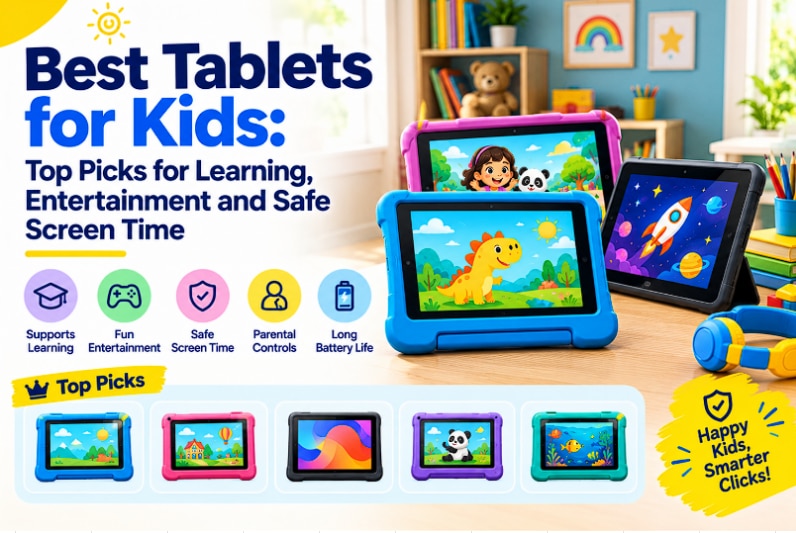
Quick Overview
- Look for Android tablets with Family Link or Samsung Kids for reliable parental supervision.
- TÜV Rheinland Low Blue Light certified displays help reduce eye strain during long screen sessions.
- Bigger batteries (7000mAh and above) mean fewer charging interruptions during trips or study sessions.
- Compact 8 to 10-inch screens suit younger kids, while 11-inch and above work better for older children.
- Expandable storage is worth considering if your child downloads many apps, games, or videos.
- Durable builds and protective cases help tablets survive kids' everyday handling.
Tablet with Parental Controls: What Should Parents Look For?
Let's tackle the safety question first, since it's usually what parents ask about before anything else. Good news: most Android tablets these days come with Google's Family Link and Kids Space built in, so you can cap screen time, block certain content, and approve new app downloads from your smartphone. If parental controls are non-negotiable for you, stick to something running a newer version of Android. The supervision tools just tend to run smoother and glitch less on recent builds.
Samsung takes this a notch further with Samsung Kids, its own dedicated mode that swaps the regular interface for a bright, simplified dashboard full of curated books and apps. If your child's on the younger side and you want something more locked down, this genuinely helps.
What Makes a Tablet Good for Kids?
Here's the real question: what actually separates an ordinary tablet from one that's good for kids? Durability, honestly, is where I'd start. Kids drop things, sit on things, and occasionally throw things, so a sturdy build (and ideally a case) saves you a lot of grief. Battery life matters just as much. Nothing kills a car trip faster than a tablet dying an hour in.
Then there's the screen. A few tablets now carry TÜV Rheinland Low Blue Light certification, which cuts down on eye strain during those long stretches of reading or video watching, and that's the kind of detail parents quietly love once they notice it. Storage is easy to overlook too, but between apps, games, and downloaded shows, it fills up fast. So how do these things actually show up in real tablets? Let's get into it.
Top 5 Best Tablets for Kids
Here are five options I'd genuinely shortlist for the best tablet for kids, depending on your child's age and how they'll use it day to day.
1. Redmi Pad SE
The Redmi Pad SE runs on a MediaTek Helio G685 chip with 4GB RAM and 128GB storage, which is honestly more than enough room for apps and a stash of downloaded videos. At 8.7 inches, it's compact enough for smaller hands to hold comfortably without straining.
The 6650mAh battery is rated for over two days of regular use, so you won't be constantly hunting for a charger. It runs Android 13, meaning Family Link works right out of the box, and the quad speakers with Dolby Atmos genuinely make cartoons and story time sound better than you'd expect from something this size.
2. Lenovo Tab (10.1-inch, 2025)
This one pairs a MediaTek Helio G85 octa-core processor with 4GB RAM and 128GB storage. What caught my attention, though, is the display. It's a 10.1-inch WUXGA IPS panel with TÜV Rheinland Low Blue Light certification, which is a genuinely reassuring detail if your kid spends hours reading or bingeing videos on it. It ships with a clear case that has a built-in kickstand, which is oddly handy for propping the tablet up during video calls with grandparents.
The 5100mAh battery gets you close to 9.5 hours of streaming, and it runs on Android 14 with full Family Link support.
3. Lenovo Idea Tab
Sizing up a bit, the Lenovo Idea Tab has an 11-inch display at a crisp 2560 x 1600 resolution, powered by a MediaTek Dimensity 6300 octa-core chip, 8GB RAM, and a roomy 256GB of storage you can expand to 2TB with a microSD card.
The 7040mAh battery lasts about 12 hours of streaming, which is great for longer study sessions or road trips.
Running Android 15, this is more of an older-kid tablet, one that can handle bigger game downloads and school apps while still keeping parental supervision tools solidly in place.
4. Samsung Tablet A11+
The Samsung Tablet A11+ packs an MTK 24M processor, 8GB RAM, and 256GB storage into an 11-inch, 90Hz display that makes scrolling feel noticeably smoother. Its 7040mAh battery supports 25W charging, so it tops up quickly between homework stretches. This is where the tablet really earns its spot on the list, thanks to Samsung Kids. It makes the whole experience simpler and safer, with curated content and proper screen time limits. It's one of the more thoughtful child-friendly features I've come across on a tablet.
5. OnePlus Pad Go 2
If you want something with real screen real estate, the OnePlus Pad Go 2 has a 12.1-inch display with a resolution of 2800 x 1980, powered by a MediaTek Dimensity 7300 chip with 8GB RAM and 128GB storage.
The standout, though, is the battery. At 10050mAh, it's rated for roughly 15 hours of video playback, which is genuinely impressive if you're the kind of family that takes long drives or flights. It runs OxygenOS 16 on Android, supports Wi-Fi 6 for quicker downloads, and even comes with stylus support, a nice bonus if your kid likes doodling alongside their homework.
Best Tablet for Kids for Entertainment: What Should You Consider?
If entertainment is what you're after, weigh screen size and battery life first. The OnePlus Pad Go 2's big display and 15-hour battery make it a solid pick for long car rides or family holidays where charging points are hard to come by. If your kid's younger and needs something easier to grip, though, the Redmi Pad SE's smaller 8.7-inch screen and surprisingly good Dolby Atmos speakers make story and video time feel more special than you'd expect.
I remember setting up a similar Android tablet with Family Link for my cousin's kid, and watching the daily arguments over screen time just quietly disappear once the limits were in place felt like a small miracle. That's really the point here. It's not just about entertainment; it's about giving parents some peace of mind, too.
Conclusion: Which Is the Best Tablet for Kids for Your Child?
Ultimately, the best tablet for kids depends on your child's age, how they'll use it, and how much oversight you want. For younger kids, something compact and tough like the Redmi Pad SE tends to work best. For older kids balancing schoolwork with games, the extra storage on the Lenovo Idea Tab or Samsung Tablet A11+ is probably worth the trade-off.
Whichever one you land on, don't skip on reliable parental controls and decent battery life; those two things matter more day-to-day than any spec sheet number. Take your time browsing these options on JioMart, and choose what best fits your family's routine.
FAQs
Which brand tablet is best for kids?
Samsung stands out here thanks to its dedicated Samsung Kids mode, but Lenovo and Redmi both offer solid, budget-friendly tablets with decent battery life and Android's built-in Family Link controls.
What are the best educational tablets for kids?
Any Android tablet with Family Link enabled works well for learning apps and monitoring screen time. That said, the Samsung Tablet A11+ has an edge thanks to its Samsung Kids interface, which is built around curated, age-appropriate content.
Which tablet from this list offers the best built-in parental controls for younger children?
The Samsung Tablet A11+ is the top choice for younger kids because it features the dedicated Samsung Kids mode, which offers a highly curated, secure, and playful interface out of the box. For the Redmi, Lenovo, and OnePlus models, you can easily set up Google’s built-in Family Link app to manage screen time limits, block inappropriate content, and track app usage just as effectively.
Is the Redmi Pad SE or the OnePlus Pad Go 2 better for long car rides and entertainment?
The OnePlus Pad Go 2 has the edge for travel entertainment due to its superior high-resolution display and immersive audio setup, making it fantastic for movies. However, the Redmi Pad SE remains a highly competitive, budget-friendly alternative that delivers exceptional battery life to keep kids entertained during long journeys without frequent charging stops.
Which tablet model should I choose for schoolwork, learning apps, and online classes?
The Lenovo Idea Tab and the Lenovo Tab (10.1-inch) are excellent fits for learning and school projects. Their balanced screen sizes and optimised processing power let them handle educational apps, video calls for online classes, and digital textbooks smoothly without lag.
Do these kids' tablets support an external keyboard or stylus for drawing and writing practice?
Yes, all five tablets support standard third-party Bluetooth keyboards and universal capacitive styluses. If your child is leaning into digital drawing or needs to type up school assignments, pairing the OnePlus Pad Go 2 or Lenovo Idea Tab with a wireless keyboard turns the device into an easy-to-use, highly portable mini-laptop.