


TV Wall Mount Guide: Choosing and Installing the Right Mount
Content Team, Jio Mart • 22 Oct 2026
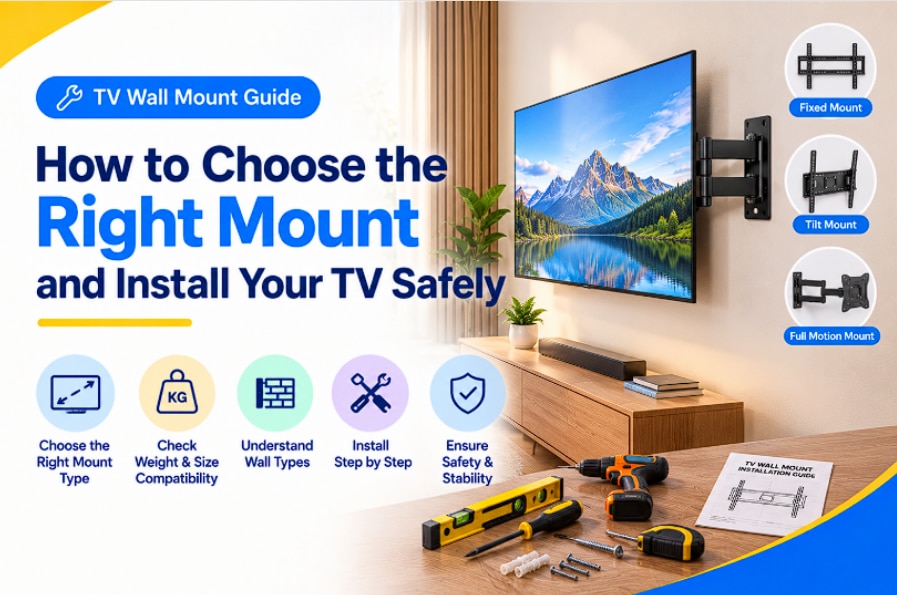
Quick Overview
- TV wall mounts come in three main types: fixed, tilt, and full motion.
- Match your TV wall mount bracket to the TV's VESA pattern and actual weight, not just screen size.
- Smart TVs need extra clearance for ports, ventilation, and cable access.
- For safety, the wall should support at least four times the TV's weight.
- JioMart's range of TV mounting bracket options covers compact bedroom setups to large living-room installs.
Fixed vs Tilt vs Full Motion TV Wall Mount: Which Type Is Right for You?
Picking between a fixed TV wall mount, a tilt mount, or a full motion TV wall mount comes down to how you use the room.
|
Type |
Movement |
Viewing Angle |
Wall Distance |
Suitable TV Sizes |
Installation Complexity |
Price Range |
|
Fixed |
None |
Straight-on only |
Very close (92- 93 mm) |
24"-65" |
Easy |
Budget |
|
Tilt |
Up/down |
Adjustable tilt |
Slightly more (around 130mm) |
32"-75" |
Moderate |
Budget to Mid-range |
|
Full Motion |
Swivel, extend, tilt |
Wide, any angle |
Extends well off the wall |
32"-85" |
Moderate to Complex |
Mid-range to Premium |
A fixed TV wall mount keeps the screen flush and closest to the wall, ideal for single-seating viewing. Tilt mounts add vertical adjustment, handy when the TV sits higher than eye level. If your family room has seating scattered across corners, a full motion TV wall mount lets you swing the screen toward whoever's watching: genuinely useful once you've lived with one. Prefer flexibility without drilling? A TV wall mount stand offers a similar viewing range while staying portable.
How to Choose the Right TV Wall Mount Size and Weight Capacity
Choosing the right TV wall mount size starts with three numbers: screen size, VESA pattern, and actual weight in kilograms.
The VESA pattern is the spacing, in millimetres, between the four screw holes on your TV's back: common patterns range from 200x200mm on smaller sets up to 600x400mm on large screens. Every TV mounting bracket lists its compatible VESA range, so check your TV's manual or back panel before buying.
Weight matters as much as screen size. A 55-inch TV can weigh anywhere from 12kg to over 20kg, depending on panel type, so check the mount's rated load capacity rather than assuming screen size alone is enough. Options like the Samsung WMN-C44VA/XL or the LG LSW240 clearly list maximum load and VESA compatibility, making comparisons easier before installing a TV wall mount.
TV Wall Mount for Smart TVs: What to Check Before Buying
A TV wall mount for smart TV setups needs slightly more thought than older televisions. Smart TVs often have rear-facing HDMI, LAN, and power ports, so cable access matters: a slim fixed mount can make plugging things in awkward after installation.
Ventilation matters too. Manufacturer guidance (Sony, for one, recommends roughly 300mm clearance above the TV and 100mm on each side and below) exists to stop heat building up behind the panel, so never block these gaps.
Finally, confirm compatibility with your smart TV's bracket attachment, since slim designs like the Sony Slim 32 or Slim 40 wall mount brackets trade cable access for a closer-to-wall look. Decide what matters more: a flush finish or easy port access.
How to Mount a TV on the Wall Safely
Mounting a TV on the wall correctly is mostly about preparation, not force.
Wall type comes first. Locate the studs with a stud finder: mounting into hollow drywall without hitting a stud is one of the most common and riskiest mistakes. The wall should support at least four times the TV's weight.
Mounting height should generally place the screen's centre at eye level when seated, and you may adjust it slightly higher in bedrooms where you often watch from bed.
Tools required typically include a stud finder, electric drill, screwdriver, spirit level, pencil, and measuring tape, plus screws sized for your wall: at least four screws around 8mm diameter is a common minimum for the base plate.
Safety checks before you're done: confirm the bracket is level, gently tug the mounted TV to check for wobble, and re-tighten any loose screws. If you're unsure about handling a drill or lifting a large panel, call a professional installer instead.
Conclusion: Which TV Wall Mount Is Best for Your TV?
There's no universal best TV wall mount: it depends on your room, your TV's weight and VESA pattern, and how flexible you want the viewing angle. A fixed mount suits single-seating rooms, a tilt mount works well for TVs placed slightly high, and a full-motion TV wall mount earns its extra installation effort in bigger, multi-seating spaces. Whatever your TV wall mount price comfort zone looks like, browsing JioMart's bracket range with your TV's exact weight and VESA size in hand is the safest way to get it right the first time.
FAQs
What are the rules for mounting a TV on the wall?
Mount into wall studs, not hollow drywall alone; ensure the wall supports at least four times the TV's weight; match the bracket's VESA pattern; and leave enough clearance for ventilation.
How do I properly attach a TV wall mount?
Locate the studs, mark and level the bracket, drill and secure the wall plate, attach the mounting arms to the TV via its VESA holes, then lift the TV onto the wall plate with a helper.
What are common TV mounting mistakes?
Drilling into hollow walls, ignoring the mount's weight rating, skipping the level check, mounting too high or low for comfortable viewing, and not planning cable routing beforehand.
Can I wall mount my TV myself?
Yes, for most fixed and tilt mounts with basic tools and a helper for lifting. Larger TVs, full-motion mounts, or uncertain wall types are better left to a professional installer.
How to know if a TV mount is secure?
Check that all screws are tight, the bracket sits level, and there's no wobble when you gently push or pull the mounted TV. Recheck after a few days, since drywall fixings can settle slightly.